 vemix.io
Record work time, leave and sick days completely and compliantly.
From clocking in to the monthly close: vemix records work time live or after the fact, manages leave and sick days and locks closed periods with a full audit trail. It checks the rules of German working-time law as you go.
Hours, period locks, leave and sick days, in line with German working-time law.
Start the punch clock
Start the live punch clock with one click and stop it at the end of the day. vemix calculates hours and the statutory break automatically. Exactly one entry runs per person at a time.
Record time
Create entries in the weekly view, assign them to projects, tasks or categories, and use a follow-up entry to enter only the duration. vemix sets start and end automatically.
Request leave
Leave requests with half days, balances and special leave including a reason. Approved requests generate the matching time entries automatically, and the year-end close carries remaining leave forward.
Report sick days
Sick reports with or without a certificate. vemix fills the target hours for the sick days automatically and notifies the supervisor. No approval is needed.
Close periods
Close and lock a day, week or month per person. Locked periods are immutable; reopening is reserved for admins and requires a reason.
Check compliance
vemix warns when daily maximums, rest periods or weekly limits are exceeded and deducts breaks by the rules. A mandatory break before the daily close can be enforced if you want.
See it in the product
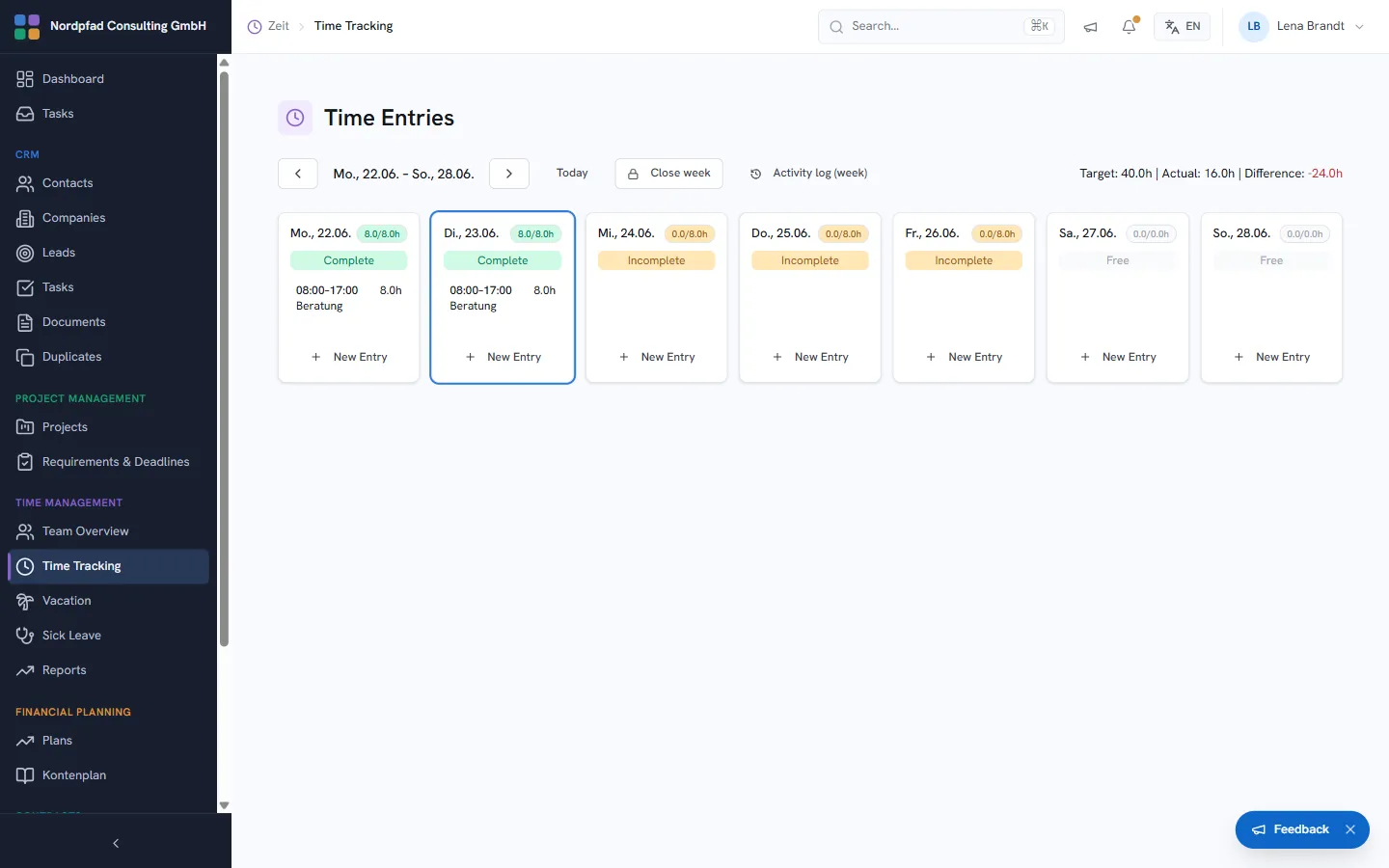
Clock in live or add entries later.
At the machine, in the office or on the move: vemix offers a live punch clock for the real start of work plus manual entry with start, end and break. In the weekly view you assign entries to projects, tasks or categories.
- Live punch clock with start/stop and automatic hours and break calculation
- Follow-up entry: enter only the duration, start follows the last entry of the day
- Book onto a project, task or category as the basis for reporting
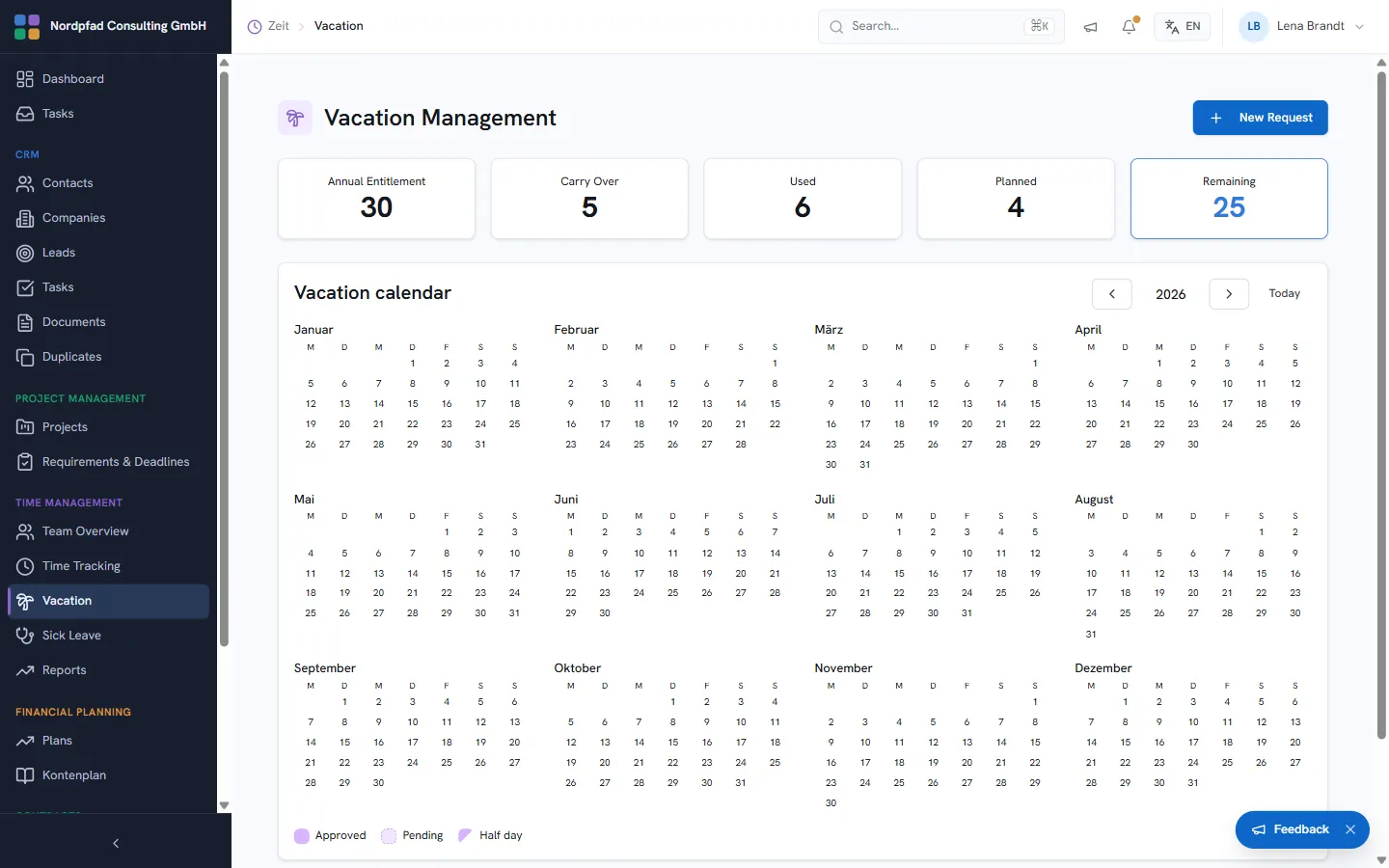
Leave and sick days in one place.
Leave requests run through a clear workflow with balances, half days and special-leave reasons. Sick reports are documented and need no approval. Public holidays follow each employee’s federal state and reduce target hours automatically.
- Leave balances with entitlement, carry-over, adjustment and year-end close
- Special leave with predefined reasons, separate from the annual entitlement
- Holiday calendar per federal state (company default, per-person override)
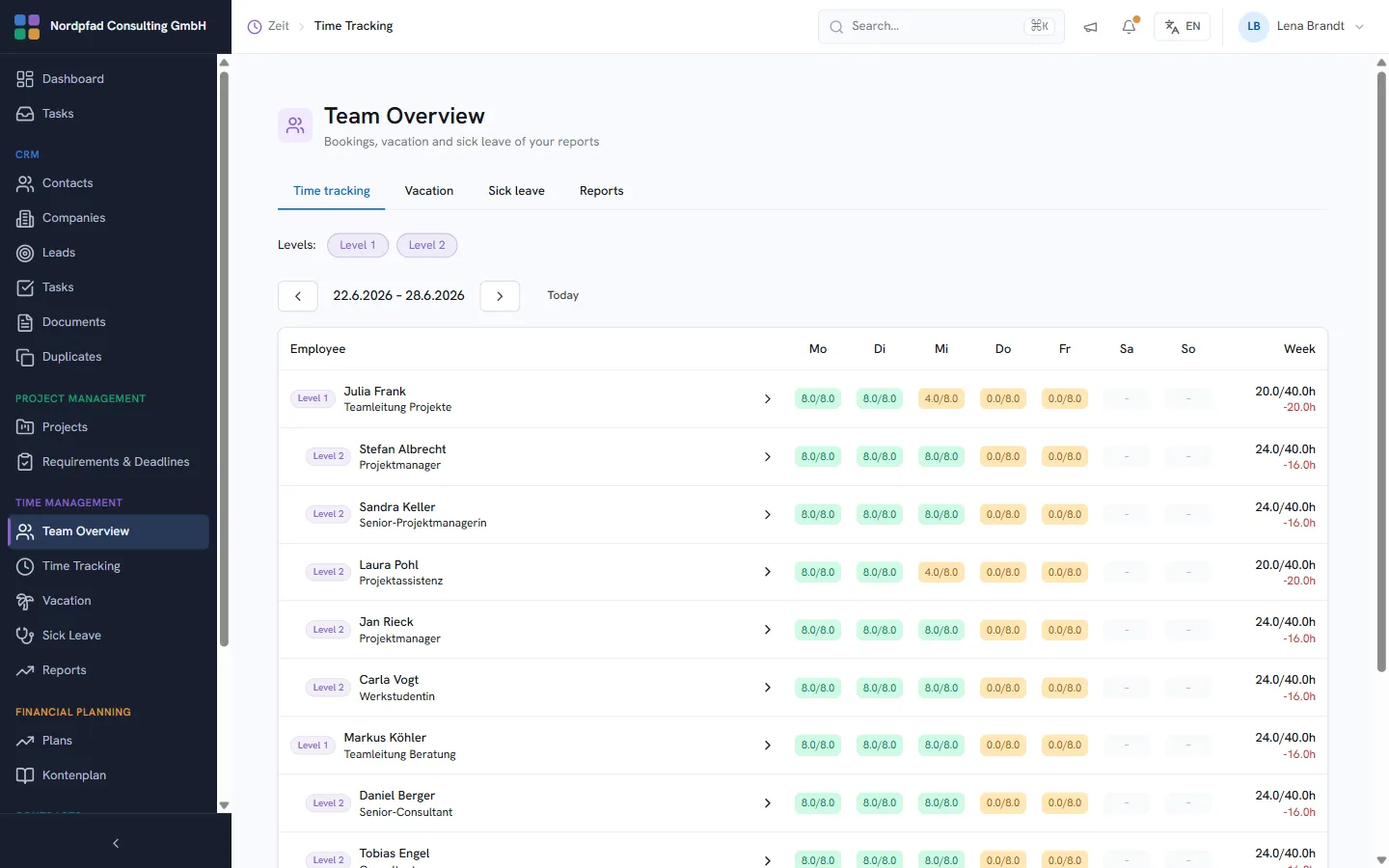
The whole team at a glance, across two management levels.
Managers see target and actual hours for their reports per day and week, filtered by management level in a multi-level organisation. Dedicated tabs bundle the team’s time tracking, leave and sick reports.
- Target/actual per day and week, incl. weekly and balance columns
- Filter by management level (level 1 and level 2)
- Tabs for time tracking, leave and sick reports
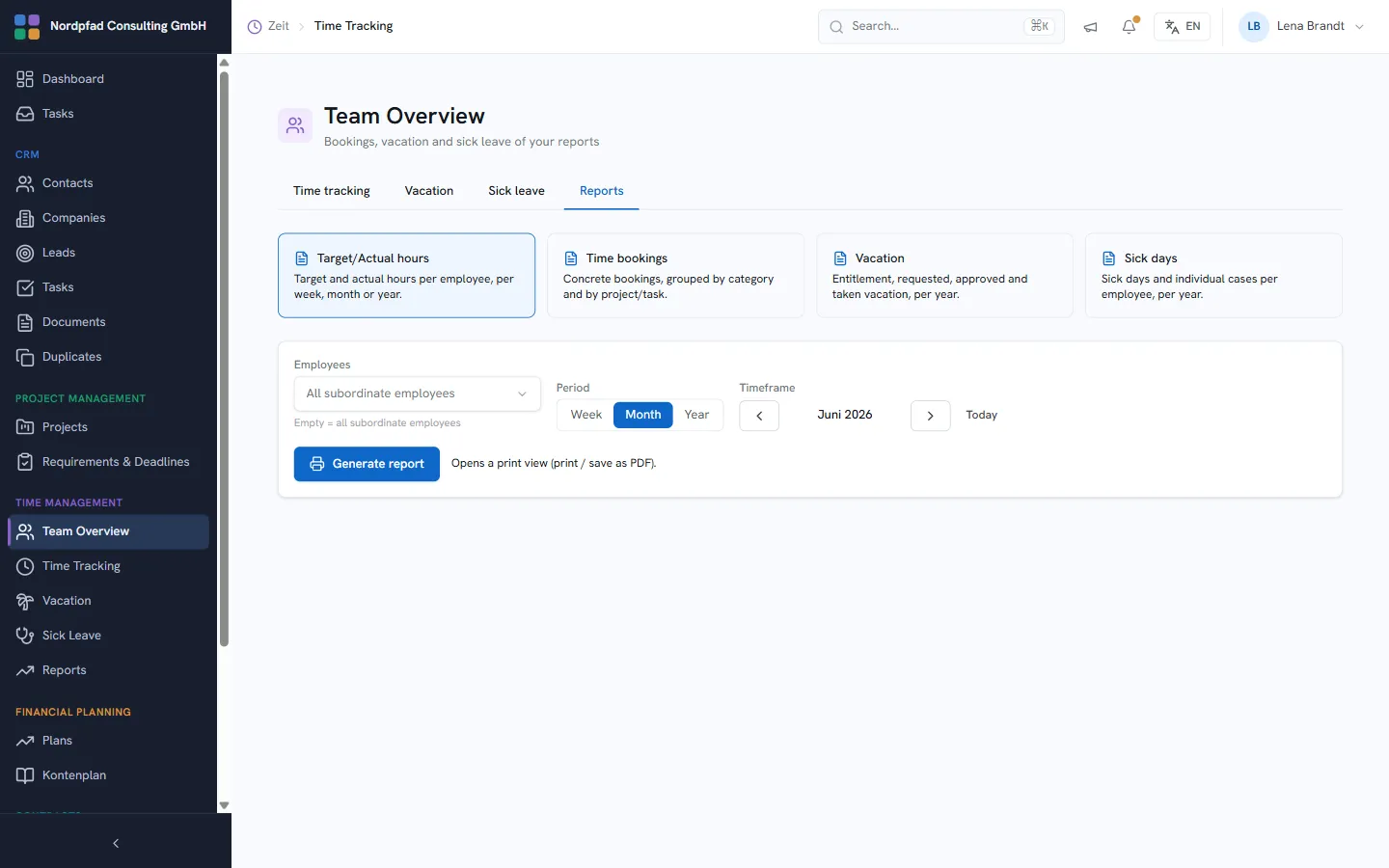
Evaluate what was recorded.
Reports aggregate recorded time by employee, project, task and category over a freely chosen period, with billable and non-billable hours shown separately. Export to CSV or PDF for payroll, controlling and client billing.
- Analysis by person, project, task and category
- Freely chosen period, billable hours shown separately
- Export to CSV and PDF
Time tracking on the go.
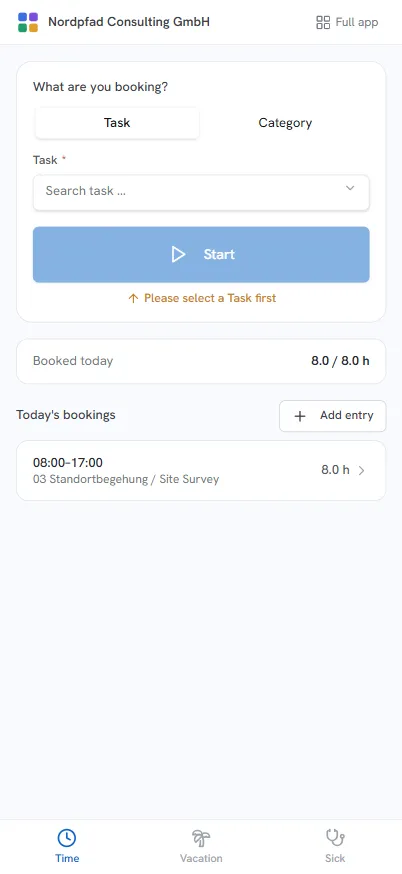
At /m, time tracking is available as an installable web app, with a live punch clock and dedicated areas for time, leave and sick days. You add it to the home screen on Android and iOS, with no app store and no separate install.
- Live punch clock and manual entry right on the phone
- Bottom tabs for time, leave and sick days
- Installable on the home screen, runs in its own window
Booked time lands in the project.
Time tracking draws on projects and tasks, books work time onto them and provides the data for reporting and billing. Booked time flows straight into project actuals and the invoice.
More modules
Frequently asked questions
Is the time tracking compliant with German working-time law?
Can recorded times be changed afterwards?
Is there a mobile option?
Bring work time, leave and sick days into one system.
Try vemix for free and record work time, leave and sick days compliantly.